

There are many reasons why you may want to start running. The most important of which has always been to keep fit.
But other causes may include preparing for a competition or a half marathon.
It shouldn't cost you a fortune to keep fit. That's one of the primary reasons why running is the most popular means of keeping fit. You don't need any equipment, and you can achieve so much by just being focused and disciplined.
But unfortunately, there are so many distractions that can stop so many goal-setters from achieving their goals. Interestingly, technology has provided a way out.
There are several running applications available at your fingertips that can help you achieve your running goals, and they come with so many extra benefits that you may wonder why you've not been using them all along.
But if you're a beginner, who wants to take running more seriously, then this is for you.
With so many apps to choose from, we have selected the top ones, with which you won't go wrong. Before the advent of smartphones and apps, it wasn't easy to track distance covered during a race.
Runners used to resort to crude methods that rarely provided the needed information, so it wasn't easy to measure progress. As innovation improved, it became easier to measure races, and GPS watches were the runner's best companion on the road.
Today, we now have several applications that deliver innovative services, especially for beginners, but most importantly, provide you accurate data on your time, pace and distance, and offer recommendations where necessary.
So if you want to enjoy the benefits and possibilities available to runners anywhere, this is for you. There are so many running apps, some are free, and some are not. As a beginner, we believe you may want to try out the free ones first, so we reviewed more free apps.
So, if you're a beginner, and you're ready to hit the ground running, lace your running shoes, get on your marks, get set, and let's go!
#1 Couch to 5K
We start with a paid app. But it's worth every penny. That's because Couch to 5K is not just a running app for beginners; it is a coach.
The app is designed not just for those who want to keep fit, but particularly those who wish to move from their couch, literally, to running 5K in about nine weeks.
The great thing about this app is that it is designed for the very beginners, so you don't need to have any prior running experience, and with a training schedule of about half an hour three times a week, you'll be ready to run 5K after about nine weeks of training.
You'll also be the one to pick your 3D trainer yourself, all for $2.99. If you want to run that long in the shortest possible time, we strongly recommend Couch to 5K!
#2 Adidas Running App by Runtastic

The good thing about Runtastic is that it helps beginners remain in control anywhere they are. If you travel frequently and don't want to miss out on your running exercises, Runtastic is a fantastic companion.
Route marking is seamlessly done because the app is linked to Google Earth. What's more? It has excellent audio options, which include coaching and, of course, great music! That's because it is also connected to Spotify.
If you're a beginner who needs an app that can keep track of your progress and milestones while providing all the motivation you need to keep you going, Runtastic is for you. Although it has a premium option, the free version would do for beginners.
#3 Nike Run Club
If you're a beginner who needs an active social media community of runners-only to keep you motivated, the app you need is Nike Run Club. As the name suggests, it's a club. So the app is not just ideal for beginners but is also excellent for professionals.
All the stats you need to keep track of your progress, like pace, distance, and elevation, are available on the Nike Run Club app.
It also understands how important music is to running, so the app links to an exclusive music collection.
With its social media platform, users of the Nike Run Club are members of an exclusive club that can only make them better runners.
The good news is you don't have to pay a dime to enjoy all of these features. And whenever you hit any milestone, hearty congratulations from members of your club await you. Get on the train!
#4 Strava
With strava, you'll never be short of stats. Pace, distance, heart rate, and elevation are some of the stats that you get from the app. But its most important feature is the advanced GPS tracking feature which provides detailed information on distances and speed.
Although there is an advanced version of the app, beginners can do well with the free version. On it, you can connect with your Facebook friends and share your milestones with them as you run.
If you're very competitive and want to know how your fellow runners are doing, Strava gives you the information, allowing you to keep pace with your friends.
As a beginner who wants to catch up quickly, Strava is an ideal choice.
#5 Runkeeper
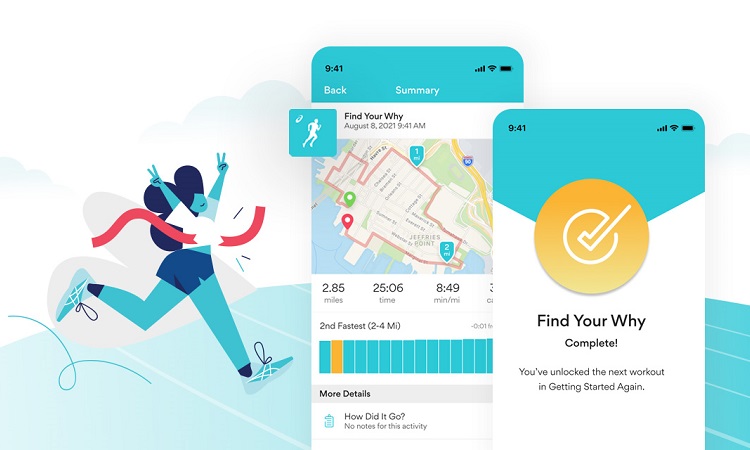
The beginner who wants to take running seriously must set goals. No app gives you a better update on your progress as a runner than Runkeeper.
This free application helps to track distance covered through a GPS feature. Because it can be integrated with several other applications like Apple Watch, Spotify, and Apple Music, you don't even need to have your phone with you when running.
If you want to know how fit you are getting by keeping a tab on how many calories you're losing per race, the Runkeeper app provides you with the update.
The app is developed by Asics and has several virtual challenges that can motivate beginners to keep running.
#6 Google Fit
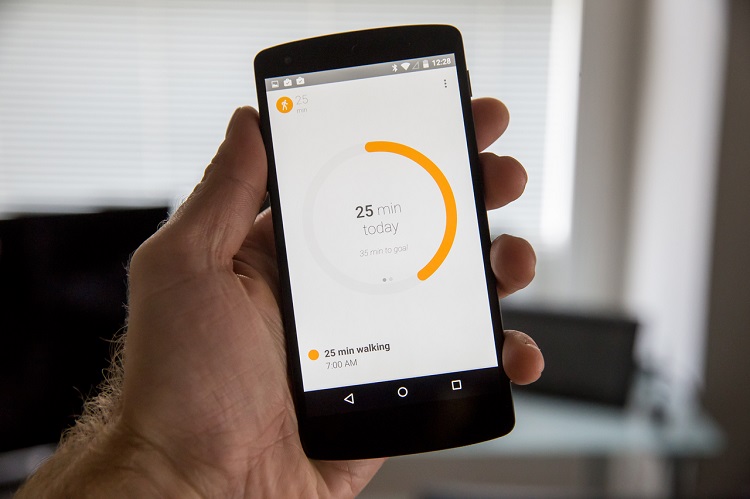
This application is very straightforward in operation. Owned and operated by Google, Google Fit keeps a tab on the runner's heart rate, calories lost, and movement.
The significant advantage for the beginner is that you can easily refer to your past data as the app keeps a record of all your races. This allows you to refer to your records and know how well you're progressing.
As expected, Google Fit is free and synchronizes seamlessly with the Google ecosystem.
#7 Zombies, Run
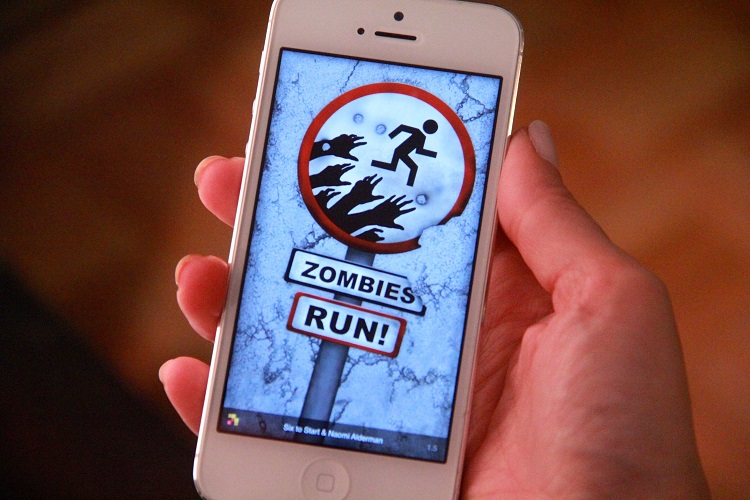
If you're a beginner, who only dreams of running but dreads to take even a step, we may have found the perfect app for you. And for your information, you are not the Zombie!
This app is not just free but creative, and we're sure you'll be loving it in no time! Once you sign up with Zombies, Run!, you'll find yourself finding all the motivation you need to keep going.
With a well-packaged eight-week racing program, the app keeps you on your feet by letting you run from virtual zombies to survive. Once you have your headphones on, you are in a world where instructions on how to run, where to run, and how to train are given.
Bloodthirsty Zombies heading your way adds extra motivation to engage your legs and sprint off! So, you're running from zombies, but you're developing yourself. And it's fun. In eight weeks, you'll be able to run quite well and even compete in long races.
#8 Runcoach
What else is there to say? It's all in the name! If you need an excellent coach, use Runcoach, and a real coach will get in touch with you.
As a beginner, before going for a coach, you may need a workout schedule designed just for you. Then, all you have to do is input all the times you'll be free per week and leave it to Runcoach to design a practica; workout plan that would improve your fitness.
As you become better, there's room for adjustments. If you want to be a great runner, it begins with your fitness. And, the app offers all of this and more for free!
#9 Pacer

Suppose you want to stay motivated while training; go for Pacer. Pacer is always there, unlike real-life friends, who may be too busy to monitor your progress.
With lots of challenges and programs designed to keep you constantly motivated, Pacer also tracks your vital data giving you regular updates on how well you're racing.
Then, real-life friends are also available in the Pacer community. You're likely to find a friend with similar running goals, and you can strike a bond that will yield great dividends.
So, if you're interested in running, staying on the challenge, and building exciting friendships all the way, go for Pacer!
Conclusion
We have reviewed nine excellent running apps for beginners. Most are free. If you want to take your running exercises to the next level, sign up for anyone and watch your fitness level improve tremendously!
Resources: